
SieMMax AI Pro — AI-Assisted L1 SOC Automation
Cut the noise. Triage faster. Humans in command.
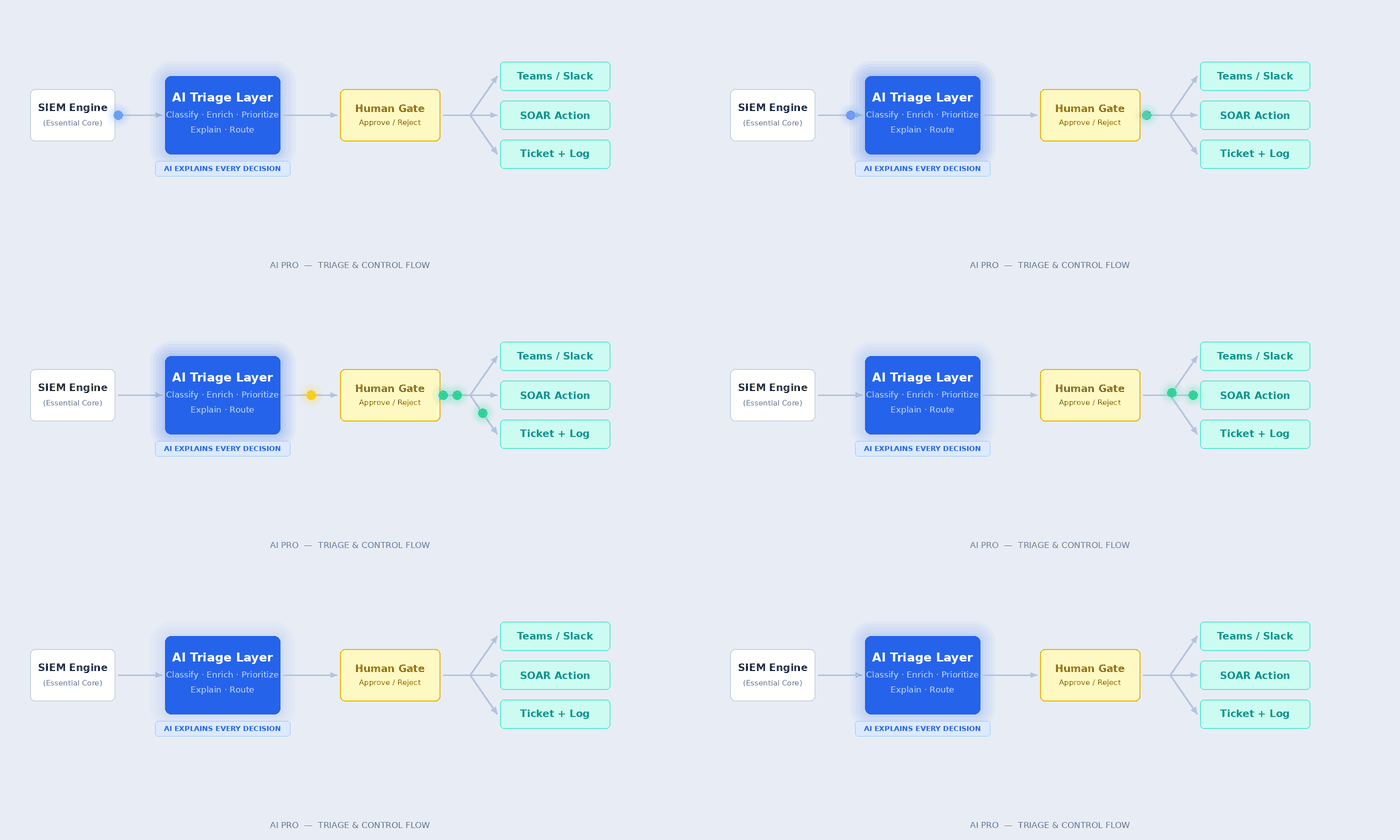
AI Pro adds AI-assisted Level 1 SOC automation on top of the full SIEM engine. It classifies, enriches, and prioritizes alerts — routes incidents, triggers multi-channel notifications, and executes pre-approved SOAR actions. All with policy-based guardrails and full auditability.
Overview
AI that works for your analysts, not instead of them.
AI Pro builds on the full SieMMax Essential SIEM engine and adds AI-assisted Level 1 SOC automation. It handles the repetitive, time-sensitive work — classifying alerts, enriching incidents, routing notifications, executing approved actions — so your team focuses on decisions that matter. You keep humans in command. AI simply handles the noise.
Who It's For
When manual triage can't keep up.
Teams Receiving Too Many Alerts
Programs With Pre-Approved SOAR Actions
SMBs Without a 24×7 L1 Team
Buyers Requiring Explainable AI
Teams Needing Multi-Channel Notifications
OT / Sensitive Environments
What AI Pro Adds
Beyond Essential — six new capabilities.
Everything in Essential, plus the following AI-assisted capabilities — each with full auditability and human control.
AI-Assisted Alert Triage & Prioritization
Smart Enrichment
Multi-Channel, Policy-Aware Notifications
Pre-Approved SOAR Actions
Investigation Kick-Start
Human-in-the-Loop Modes
Human-in-the-Loop Control
AI accelerates thinking. Humans retain authority.
Modes are per rule and per playbook. They can differ by asset class, severity, or environment. You choose how much the AI does.
| Mode | What AI Does | What Humans Do | Best For |
|---|---|---|---|
| Observe Only |
Enriches alerts, summarizes context, adds tags – no actions taken | Review enriched alerts and decide all actions manually | OT/sensitive systems, early adoption, high-trust environments |
| Recommend | Proposes specific actions with rationale; waits for approval | Approve, modify, or reject each proposed action | Most teams – balances speed with control |
| Auto Execute |
Executes low-risk, pre-approved actions without waiting | Review audit logs; adjust policies as needed | Well-defined, low-risk actions only (e.g. tag, notify, ticket) |
Example Playbooks
Deterministic playbooks. No black box autonomy.
These illustrate how AI Pro works in practice. Each playbook is explicit, auditable, and runs only within the parameters you define.
Suspicious Login from New Geo
- Enrich with recent user activity and MFA status
- List Item Notify via Teams + email; open ticket with context
- Optional: Disable account after analyst approval
High-Volume Firewall Denies
- Correlate with known bad IPs from threat intel
- Summarize likely cause; tag affected asset group
- Optional: Block IP list (auto-execute if policy allows)
Endpoint Malware Alert
- Attach asset owner, last patch time, similar alerts
- Voice call for critical hosts; open ticket for escalation
- Optional: Isolate endpoint after analyst approval
Tier Comparison
Where AI Pro fits in the stack.
Essential runs on the same SIEM core as AI Pro and AI Max. No migration. No re-deployment. Add AI when it makes sense.
— Foundation
Essential
Full SIEM with deterministic SOC automation. No AI.
- Full SIEM — centralized detection
- Email notifications
- Rule-driven SOAR workflows
- Deterministic — zero AI
- On-premises, cloud, or hybrid
AI Pro
AI-assisted L1 triage with human-in-the-loop control.
- Everything in Essential
- AI-assisted L1 triage & prioritization
- Teams / Slack / Voice notifications
- Pre-approved SOAR actions
- Explainable AI + approvals
AI Max
Agentic AI for L2/L3 SOC analysis and reporting.
- Everything in AI Pro
- Agentic L2/L3 investigation
- MITRE ATT&CK mapping
- Executive reporting
FAQ
Common questions, direct answers.
Yes. Every prioritization and recommendation includes a rationale — no opaque scoring. All actions and suggestions are fully logged and auditable.
Yes — with Observe or Recommend modes configured for sensitive systems. AI enriches and advises; humans approve every action on critical infrastructure.
Yes. Modes are per rule and per playbook. Your most sensitive systems can stay in Observe Only while routine alerts run in Recommend or Auto Execute.
Speak to Experts
AI triage. Human control. Starting today.
Request a demo and see AI Pro classify, enrich, and route your real alerts — in your environment.